JD TITAN App for iOS: Can You Download It on iPhone in the Philippines?
Current Status of the JD TITAN iOS App in the Philippine App Store
As of now, JD TITAN does not offer a dedicated iOS app through the official Apple App Store in the Philippines. If you search for "JD TITAN" in the App Store on your iPhone, you will not find a downloadable native application.
This is common among online casino and sportsbook platforms serving the Philippine market. Apple enforces strict policies around real-money gambling apps in its App Store, and many operators choose not to go through the lengthy approval process or simply focus their native app development on Android, where distribution is more flexible.
Unlike Android users who can download a JD TITAN APK file directly from the operator's website, iPhone owners cannot install a standalone app in the same way. iOS does not allow installation of apps from outside the App Store without jailbreaking your device—something that voids warranties and exposes your phone to security risks.
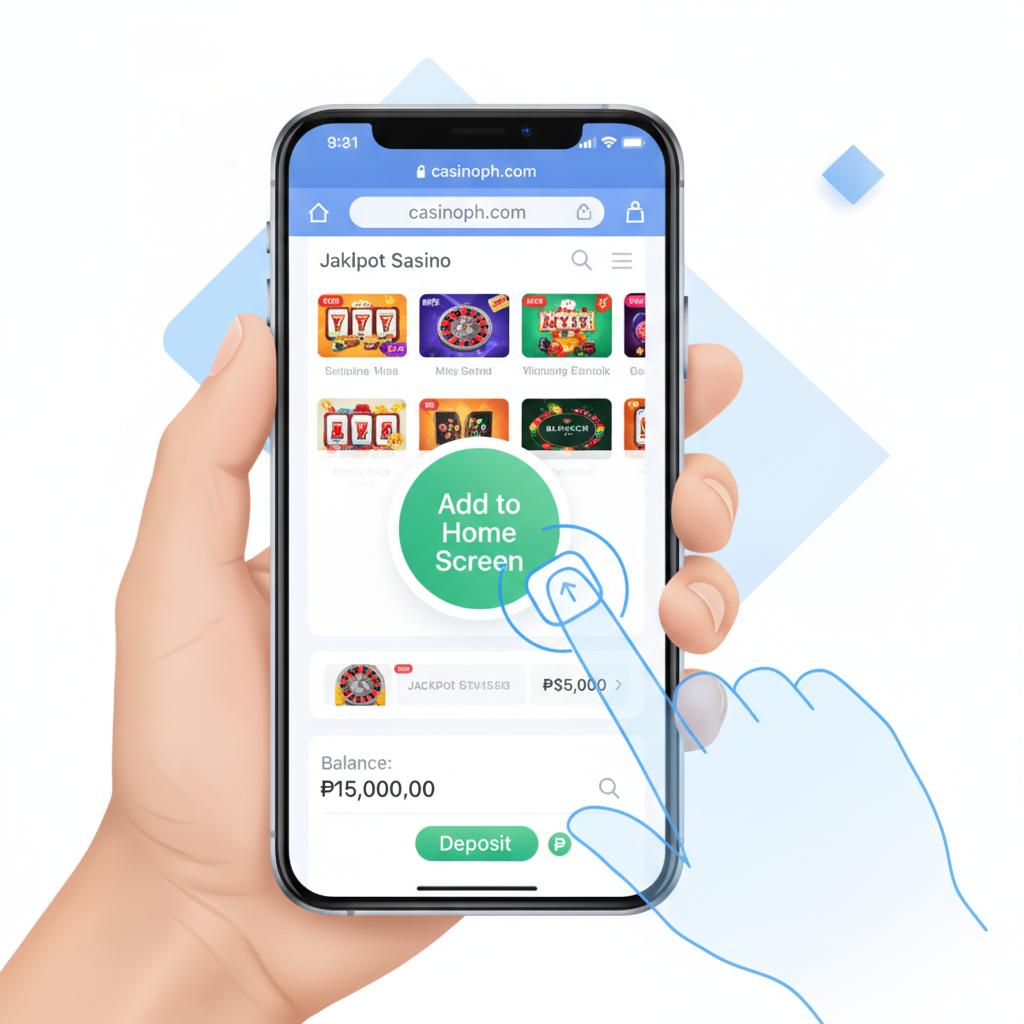
The good news: you do not need a native iOS app to use JD TITAN on your iPhone. The platform is fully accessible through your mobile browser, and you can set up a home screen shortcut that behaves much like an app.
How to Use JD TITAN on iPhone: Mobile Browser vs. Web App
Mobile Browser
The simplest way to access JD TITAN on an iPhone is through Safari or another mobile browser like Chrome or Firefox. Navigate to the JD TITAN website, log in with your credentials, and the site will load a mobile-optimized version automatically.
This mobile site offers the same features as the Android app:
- Slots and jackpot games
- Live dealer tables
- Sports betting on PBA, NBA, volleyball, and other events
- Bingo rooms
- GCash, Maya, and bank transfer deposits and withdrawals
- Account management and transaction history
Because the mobile site is responsive, it adjusts to your iPhone screen size and touch inputs. You can tap to spin slots, place bets, and navigate menus just as you would in a native app.
Progressive Web App (PWA)
JD TITAN's mobile site functions as a progressive web app. This means it uses modern web technologies to deliver an app-like experience—fast loading, smooth animations, and offline error pages—without requiring a download from the App Store.
When you visit the site in Safari, the PWA features are available automatically. You do not need to enable anything special or download a separate file.
Steps to Add JD TITAN to Your iPhone Home Screen as a Shortcut
If you want quicker access to JD TITAN without opening Safari and typing the URL every time, you can add a shortcut icon to your iPhone home screen. This icon will look and behave like a regular app.
Step-by-Step Instructions
- Open Safari on your iPhone. (This method works best with Safari; Chrome and other browsers have limited support for home screen web apps on iOS.)
- Go to the JD TITAN website. Type the URL into the address bar or tap a bookmark if you have saved one.
- Tap the Share button. This is the square icon with an upward arrow, located at the bottom center of the Safari window (or top right on iPad).
- Scroll down and tap "Add to Home Screen." You may need to scroll through the options in the Share menu to find it.
- Edit the name if you like. Safari will suggest a name based on the page title. You can shorten it to "JD TITAN" or leave it as is.
- Tap "Add" in the top right corner.
The JD TITAN icon will now appear on your home screen alongside your other apps. Tap it to open JD TITAN in a standalone browser window without the Safari address bar or toolbar. This gives a cleaner, more app-like feel.
What Happens When You Tap the Icon
When you launch JD TITAN from your home screen shortcut, it opens in a Safari-based window. You will need to log in again if your session has expired. After login, the experience is nearly identical to a native app: you can swipe between sections, place bets, deposit PHP via GCash or Maya, and request withdrawals.
The shortcut does not store your login credentials permanently. For security, JD TITAN may ask you to verify your identity or re-enter your password periodically, especially after you close the app or restart your phone.
Performance and Data Usage on Safari vs. Android APK
Speed and Responsiveness
The mobile browser version of JD TITAN on iPhone performs well on Safari, especially on newer iPhone models (iPhone XR and later) and with a stable Wi-Fi or LTE/5G connection. Page transitions, game loading, and bet placement are generally smooth.
However, a native Android APK can feel slightly faster because it stores certain assets locally on your device and does not need to fetch every image and script from the server on each visit. The difference is most noticeable on slower mobile data connections or older phones.
On an iPhone with a good connection, the gap is minimal. Most users will not notice a significant performance difference between using Safari on iPhone and the APK on Android.
Data Consumption
Using JD TITAN through Safari on an iPhone will consume mobile data each time you load pages, spin slots, or watch live dealer streams. The platform loads images, game graphics, and video feeds from the internet, and Safari does not cache as aggressively as a native app might.
If you are on a limited data plan, consider these tips:
- Use Wi-Fi when possible. Slots and live dealer games use more data than simple sportsbook pages.
- Avoid live streaming video unless you are on Wi-Fi. Live dealer tables and in-play sports streams can consume several megabytes per minute.
- Close the tab when you are done. Safari may continue background refresh if you leave the tab open.
Data usage on Safari is comparable to using the mobile site on Android through Chrome. The Android APK may use slightly less data due to local caching, but the difference is not dramatic for typical sessions.
Battery Life
Browser-based gaming uses more battery than many native apps because the browser engine runs continuously. Live dealer games and sports streams, in particular, keep the screen on and the processor active.
If you plan a long session, keep your iPhone plugged in or start with a full charge. The home screen shortcut does not reduce battery drain; it is still running Safari under the hood.
21+ Only and Responsible Gambling Reminder
JD TITAN is for players aged 21 and over only. Online gambling and sports betting are restricted to adults. If you are under 21, do not create an account or place bets.
Gambling should be a form of entertainment, not a way to make money or solve financial problems. Set a budget before you play, and never deposit more than you can afford to lose. If you feel that gambling is becoming a problem, seek help from a responsible gambling support service in the Philippines.
JD TITAN provides account tools such as deposit limits and self-exclusion options. Use these features if you need to take a break or control your spending.
Key Takeaways
- No native iOS app: JD TITAN does not have an app in the Apple App Store for iPhone users in the Philippines.
- Use Safari or another mobile browser: The mobile site works fully on iPhone and offers the same games, betting, and payment options as the Android APK.
- Add a home screen shortcut: Follow the Safari "Add to Home Screen" steps to create an icon that opens JD TITAN in a standalone window.
- Performance is solid: On a modern iPhone with a stable connection, the browser experience is smooth, though it may use slightly more data than a native app.
- Stay responsible: Only play if you are 21 or older, and always gamble within your means.
If you run into issues with login, deposits via GCash or Maya, or withdrawal processing times on your iPhone, check the other guides on this site for troubleshooting steps and contact information.